Connect without giving up control
Accounts start with the permissions you choose.
Performance Marketing
Compare channels against purchase and cancellation data. Inspect the change, then review the recommended action.
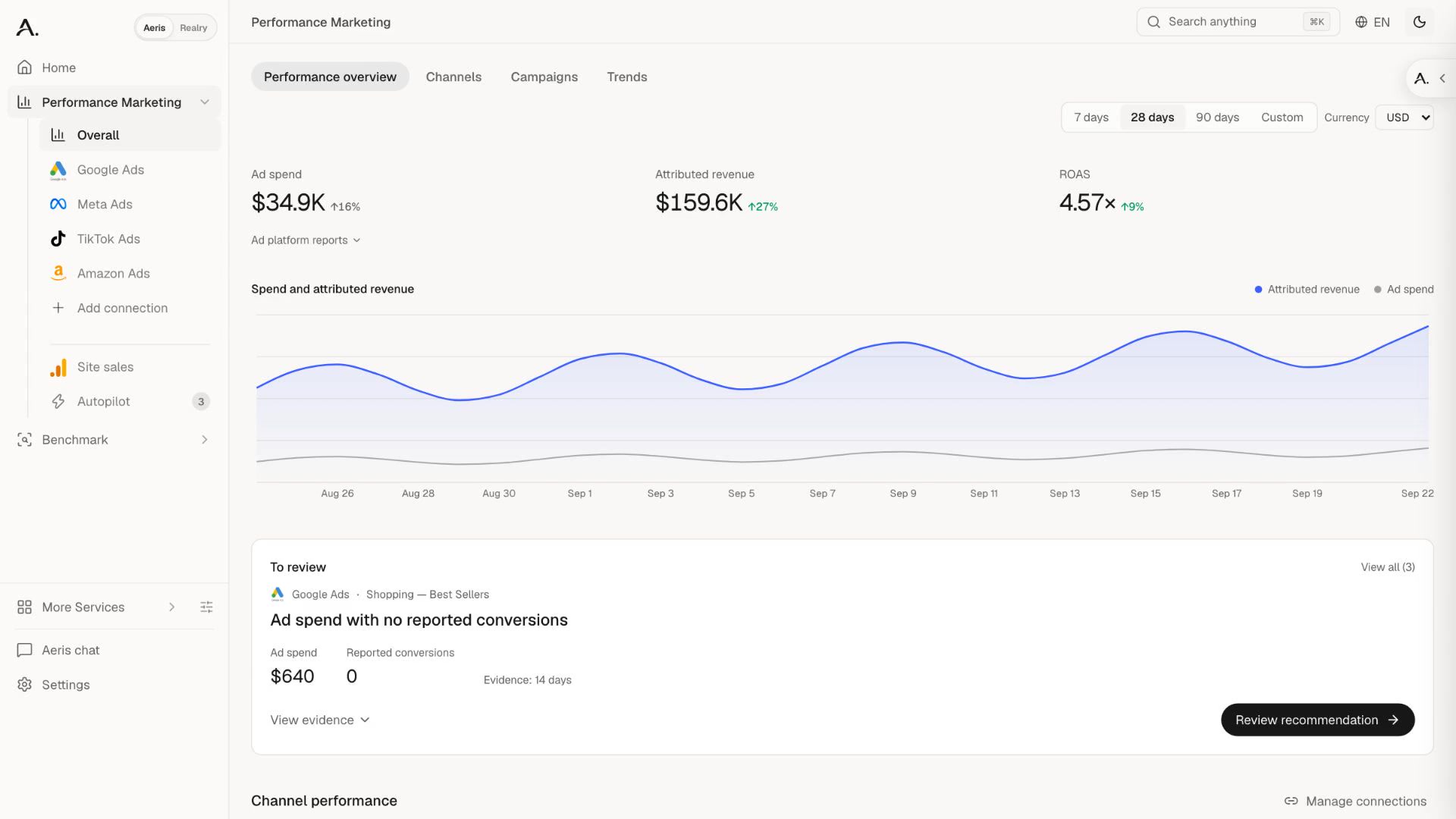
Accounts start with the permissions you choose.
Bring purchases, cancellations, and net revenue into the same period.
Supported actions wait for your approval.
Channel comparison
Compare search, social, AI, and retail media against the same period, currency, and purchase signal.
Campaigns
Select a channel to inspect its campaign, purchase trend and next review.
Choose a channel to inspect the campaign.
 Amazon Ads
Site analytics
Where first-party tracking is available, follow visits into orders, cancellations, and net revenue.
Recommendations
Review the proposed change and its evidence together. Supported actions wait for your approval in the app.
 Google AdsAwaiting your review
Daily budget
How it works
Add supported accounts without handing over ownership.
Compare channels, then inspect the campaign and trend behind the result.
Check the evidence before a supported action is applied.
Your dashboard follows connected accounts across search, social, AI, and retail media. Availability depends on your connections.
No by default. The review flow shows the recommendation and its evidence before you approve a supported action. Execution also depends on the channel and your permissions.
Connected workflows
Performance Marketing
 Microsoft
 OpenAI
 Naver
Naver Meta
Meta TikTok
 LinkedIn
 Reddit
 Aeris
Aeris
 128K
128K